Free and open source · Linux, Windows, macOS

From the instrument to the figure, without the spreadsheet.

Dioptra is a desktop program for scientific data. Paste raw numbers, shape them with formulas, run the test with its assumptions checked in plain view, and export the figure at the size the journal asks for. It does the work of GraphPad Prism and of the spreadsheet you opened before it, and keeps every step in one open file.

Download Dioptra Read the ten-minute start
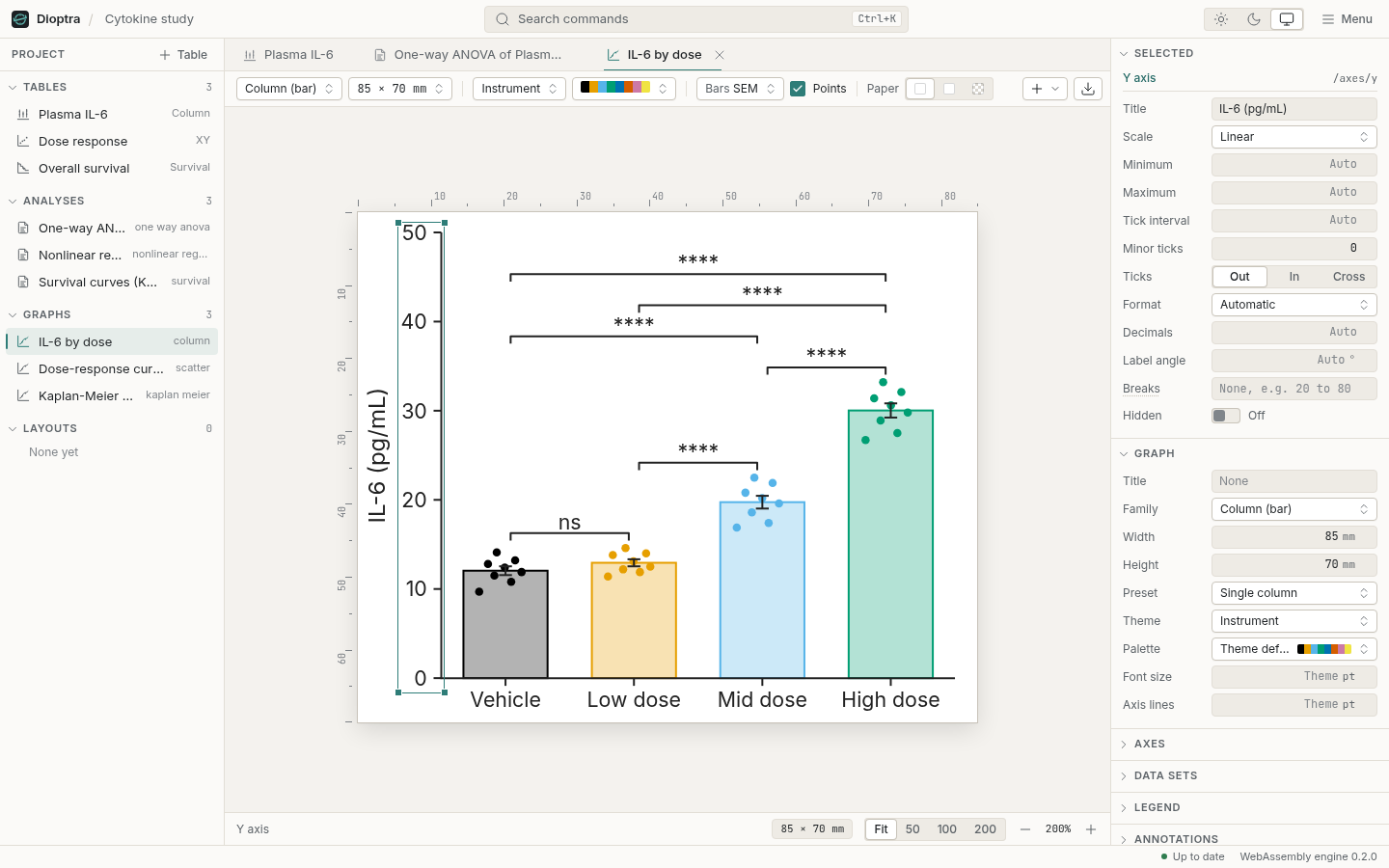
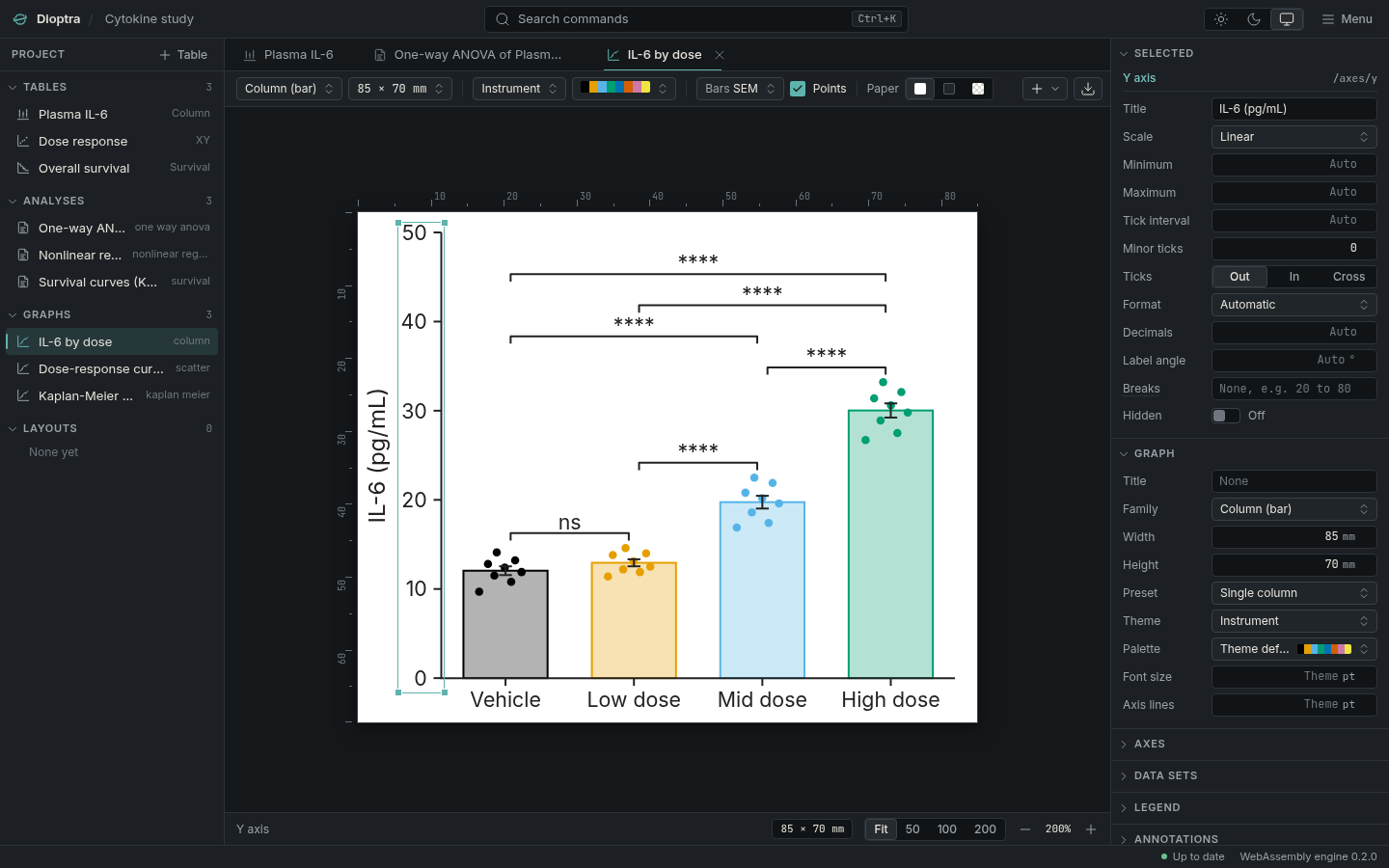
The graph editor: a column graph of four dose groups on white paper with millimetre rulers, the Y axis selected and its properties in the inspector. The graph editor in dark mode: the figure on white paper over the graphite desk, millimetre rulers, the Y axis selected and its properties in the inspector.

01 Download

Pick your system

Every file is on the releases page.

Linux

One file for any distribution, or a package for yours.

AppImage
  • .deb Debian, Ubuntu
  • .rpm Fedora, openSUSE

The builds are not signed with a paid certificate, so Windows and macOS ask once before the first launch. On macOS, right-click Dioptra in Applications and choose Open (macOS 15 and later: System Settings, Privacy & Security, Open Anyway), or run xattr -cr /Applications/Dioptra.app once. The install notes say more.

02 The instrument
Grid, results sheet, graph editor, in light and dark

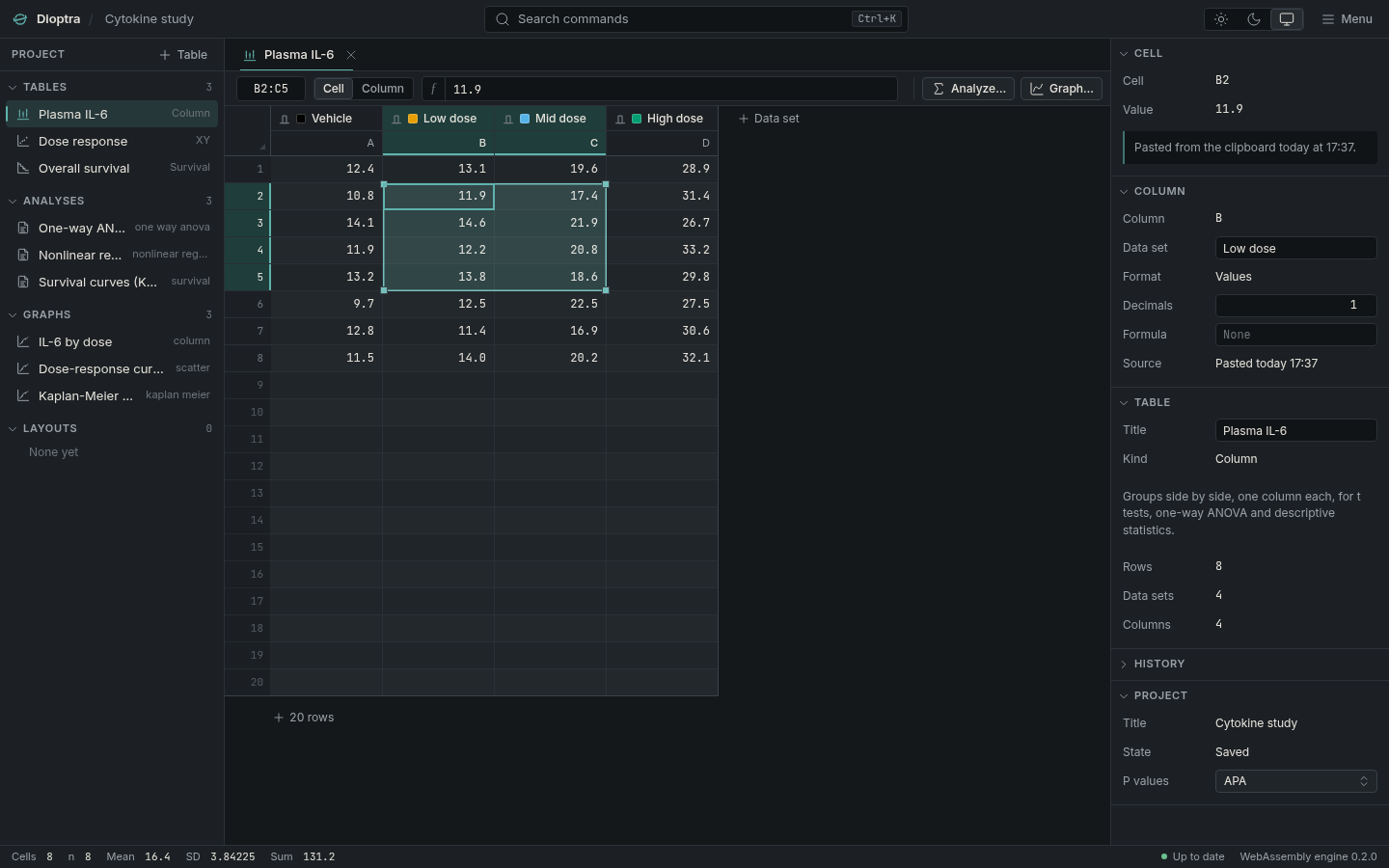
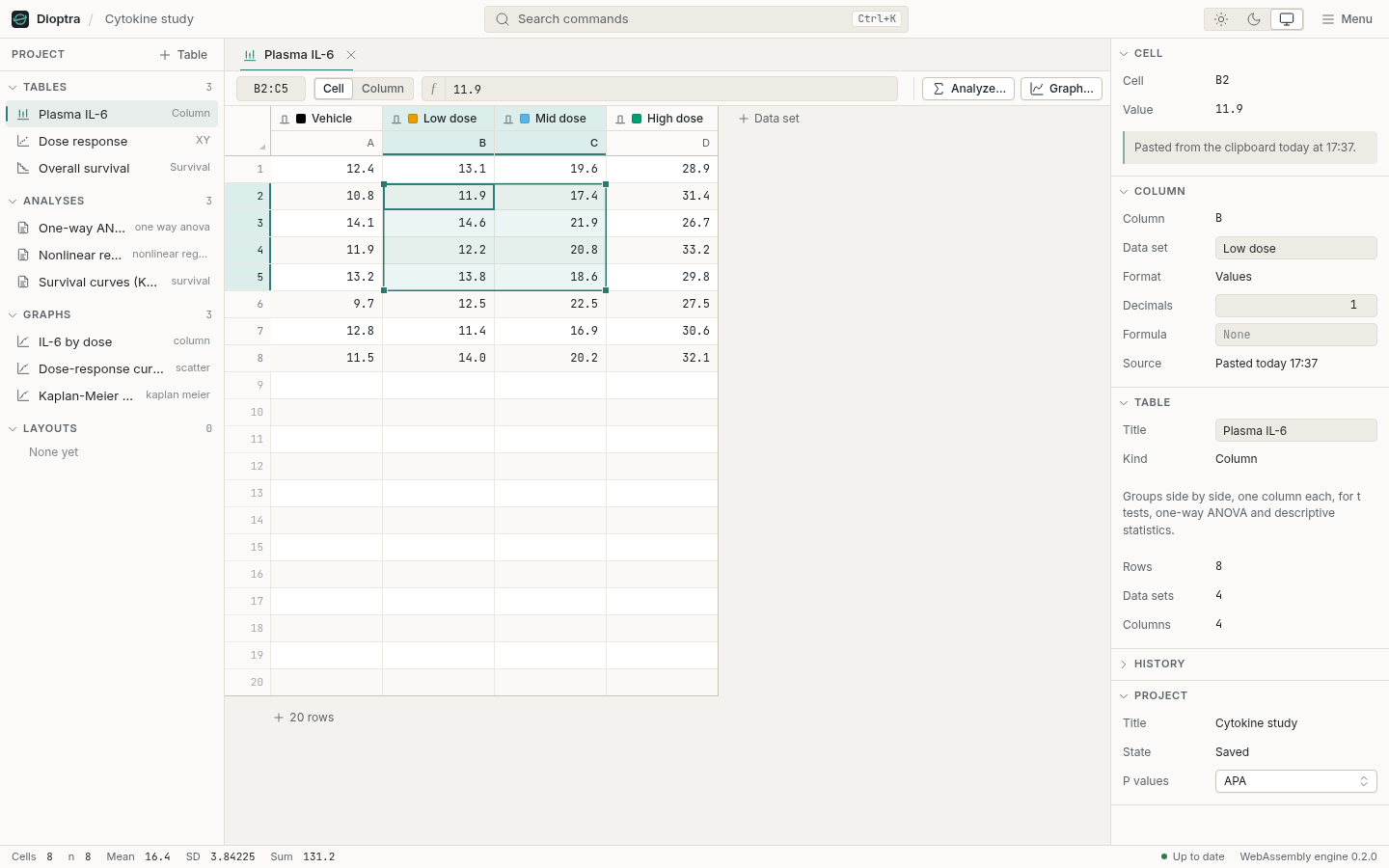
The Dioptra window: a bounded column table of a cytokine study with a colour swatch on each data set, a selection, and the inspector showing where the selected cell came from. The same window in dark mode, on graphite.
The grid. A bounded sheet, not an endless spreadsheet. Each data set wears the colour its graph will use, and the inspector says where any cell came from: typed, pasted, imported, or computed.
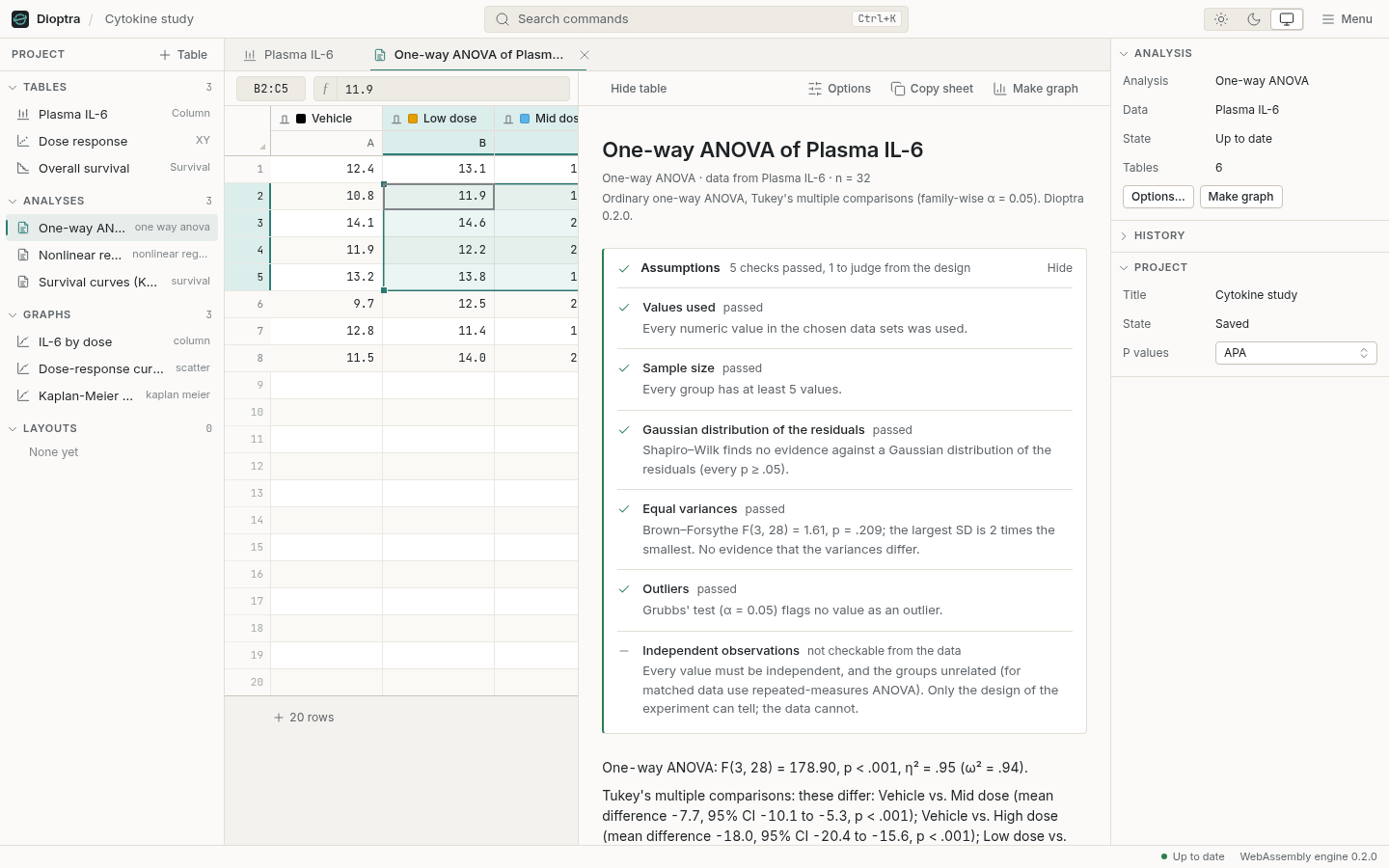
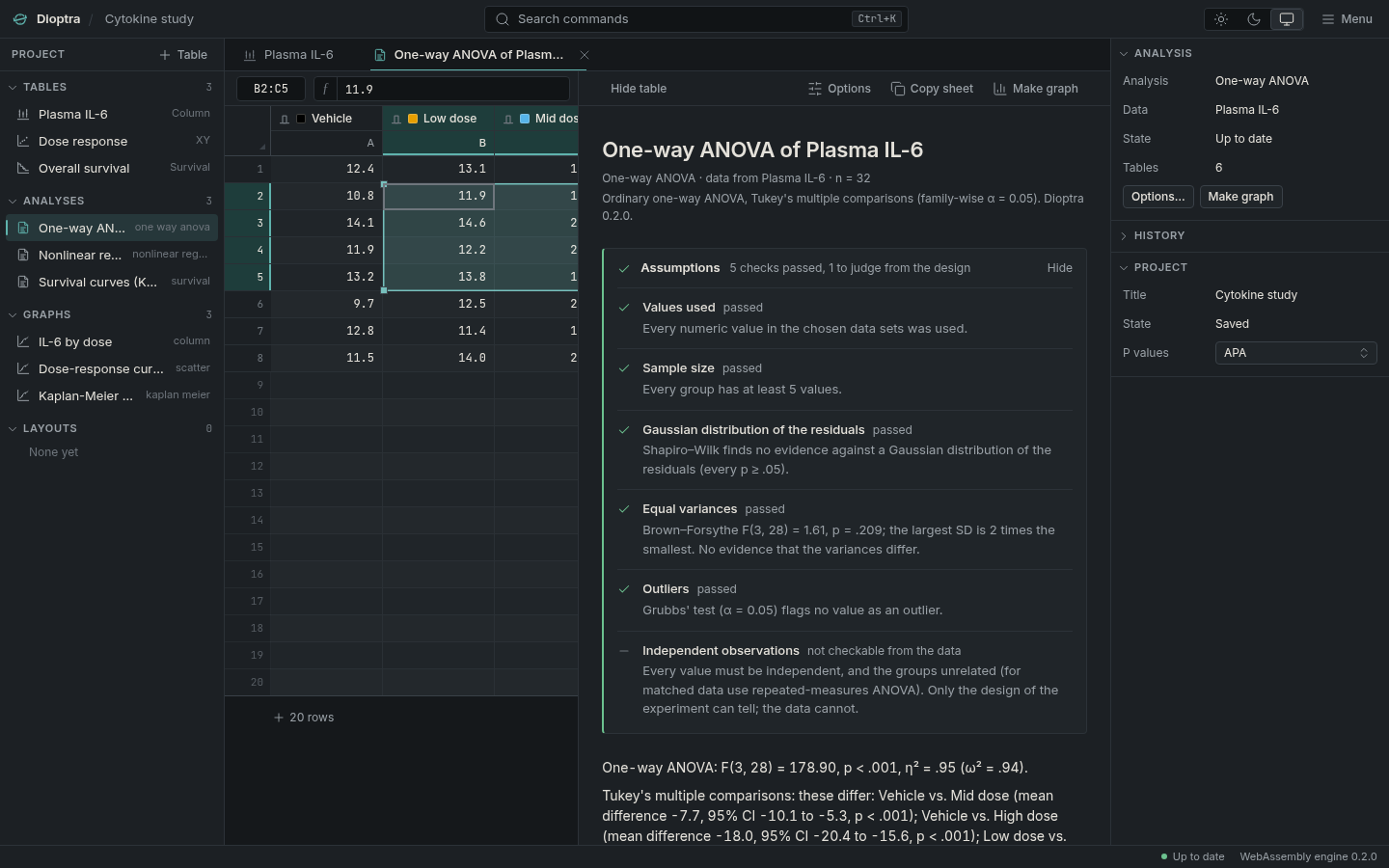
A one-way ANOVA results sheet: assumption checks with their marks, APA-style sentences and the statistics table in a reading column. The same results sheet in dark mode.
The results sheet. Assumption checks first, then sentences you can paste, then the numbers at full precision, then what the test cannot check for you.
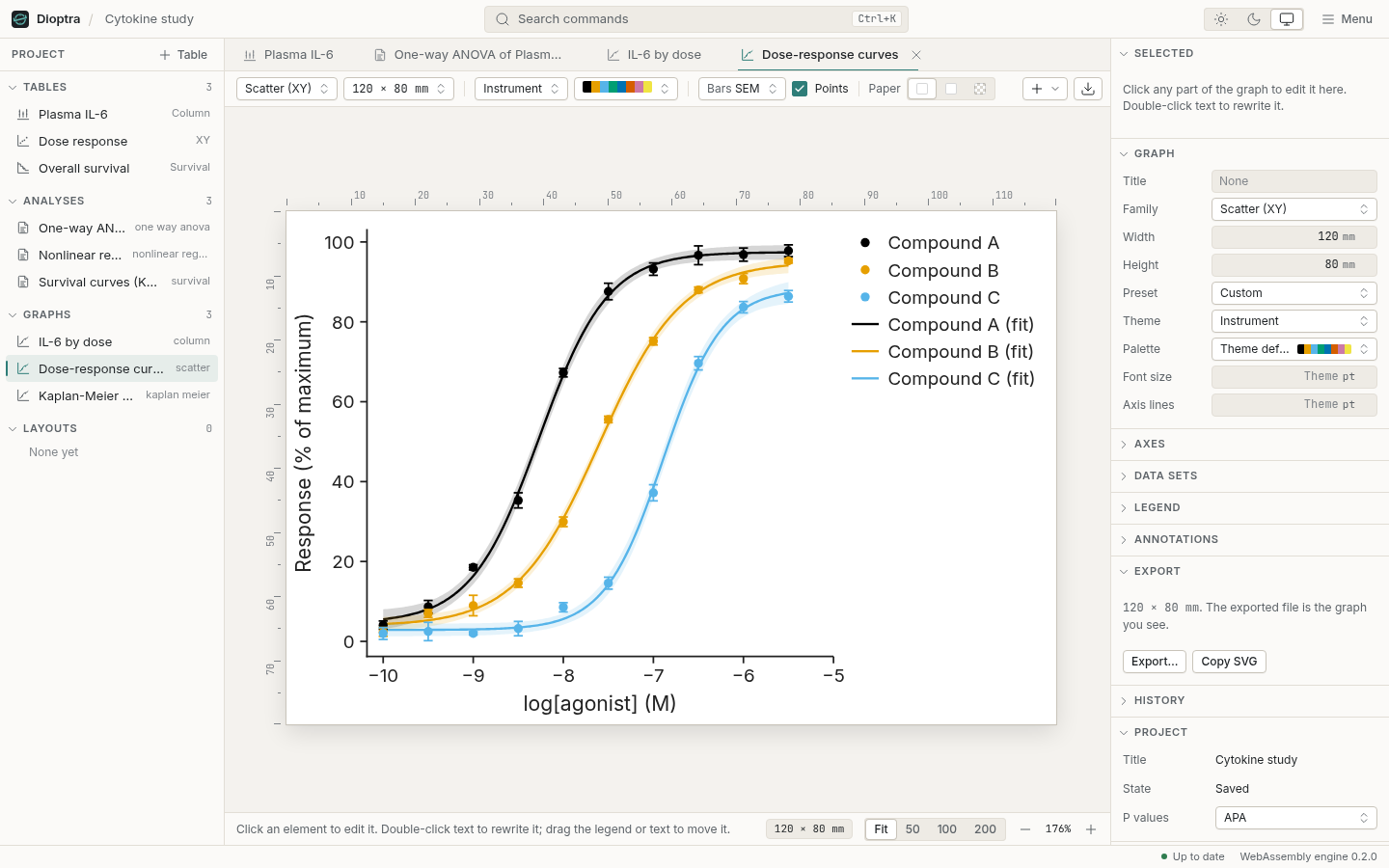
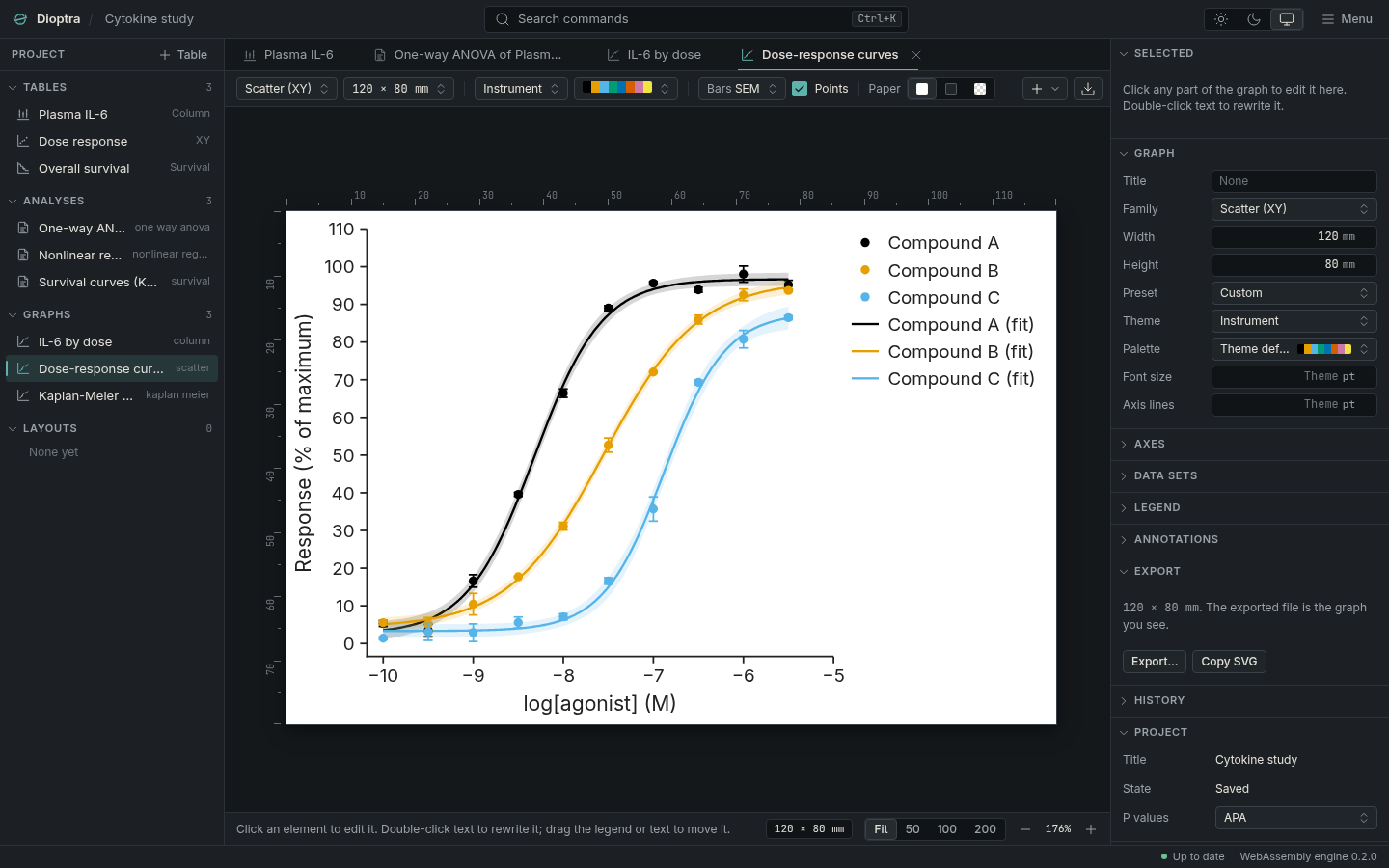
Dose-response curves for three compounds fitted with four-parameter logistic models, with confidence bands, on white paper in the graph editor. The same dose-response graph in dark mode, the paper white on the graphite desk.
The graph editor. Click an axis, a label or a series and edit it in the inspector. Sizes in millimetres, type in points, the paper white on a dark desk.

03 No spreadsheet in the loop

The errors happen before the statistics

The usual route goes through a spreadsheet. The plate reader exports a file, the file opens in Excel, someone tidies it, and the tidy version is pasted into the statistics program. Each step is a chance to change the data without noticing.

The spreadsheet reads the gene SEPT2 as the second of September and MARCH1 as a date in March. In 2016 about a fifth of papers that published gene lists from Excel had such errors; in 2021 the share was higher. Copy a block from the spreadsheet and the clipboard carries the rounded numbers it was displaying, not the ones it stored. Then the data are reshaped by hand to fit the next program's layout, and the baseline is subtracted in one column and forgotten in the next.

Dioptra takes the spreadsheet's jobs so there is nothing to round-trip:

  • Paste raw text. Tabs, commas or semicolons; decimal commas detected and reported. A value that could be read two ways, like 1,234, is kept as text and shown, not guessed.
  • Text stays text. A gene name is never a date, and <LOD is never a zero.
  • Read the file itself. XLSX, XLS and ODS are read directly, at the precision they were stored.
  • Shape it in place. Column formulas, baseline removal, normalisation, unit conversion, pivots and transposes, each stored as a recipe beside the data it came from.

04 Honest by default

Every assumption on the page

Equal variances: Brown–Forsythe, p = .03. The groups' spreads differ; Welch's test, used here, does not assume they are equal.

Welch's t test: the means differ by 3.2 units (95% CI 1.1 to 5.3), t(17.4) = 3.21, p = .005.

  • Checks run with the test. Normality, equal variances, sample size and outliers are tested and shown above the result, with what each one means for this analysis and the alternative when one fails.
  • Estimates before p values. Every sheet reports the effect with its confidence interval: mean differences, Hedges' g, odds ratios, hazard ratios, AUC.
  • Sentences you can paste. APA-style results and a methods sentence naming the test, its variant, the correction and the version.
  • Exact where affordable. Exact Mann–Whitney and Wilcoxon p values, Fisher's test beyond 2 × 2, and Welch, two-sided and Tukey–Kramer as the defaults.

05 Publication-ready

The figure on screen is the file you send

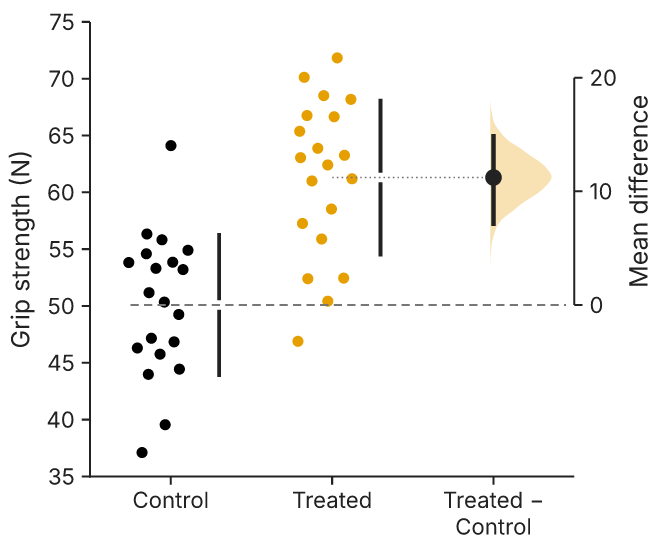
An estimation plot exported from Dioptra: grip strength of control and treated groups as points, and the mean difference of about 11 newtons with its bootstrap 95% confidence interval on a second axis.
An estimation plot as exported: both groups' points and the mean difference with its bootstrap 95% CI.
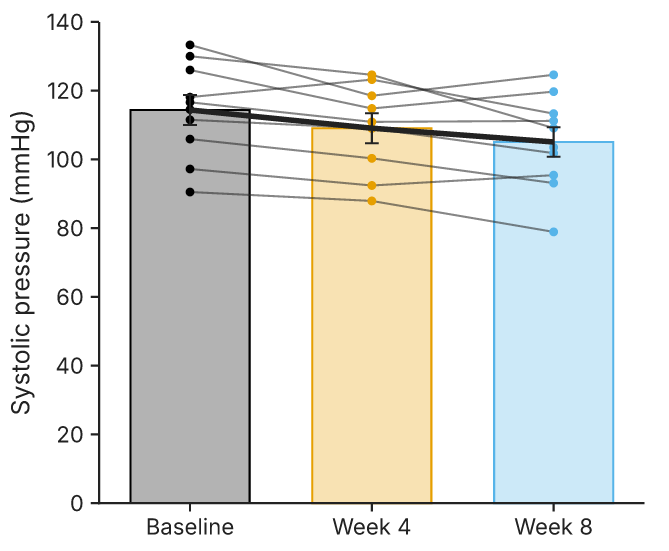
Systolic pressure of ten subjects at baseline, week 4 and week 8 as bars of the mean with SEM, each subject's three points joined by a thin grey line and the means joined by a heavy line; one subject's line is missing where a visit was missed.
Paired data drawn as pairs: bars of the mean, a line per subject across the bars, and the mean line.
  • SVG and PDF that stay editable. Real text, named layers, no clipping masks; PDF embeds its fonts. PNG at any resolution.
  • Millimetres and points. 85 mm for a single column, 174 mm for a double; type and lines in points.
  • The same bytes everywhere. Fonts are bundled, so a figure made on Linux is identical on a Mac.
  • Colour-blind-safe palettes. Okabe–Ito by default; Tol, viridis and cividis besides. Points shown on every column graph.
  • Connecting lines. On bar, dot, box and violin graphs: a line per subject, the means or medians, coloured by subject or group; the default graph of every paired test.
  • Twenty-three families. Violin, raincloud, estimation, before–after, SuperPlot, Kaplan–Meier, volcano, forest and more, in three themes.

06 Correct, and shown to be

Tested against certified answers

The engine is checked against the NIST Statistical Reference Datasets, whose answers are certified to 15 digits, and against SciPy, statsmodels, lifelines and scikit-learn. Each check counts correct digits, and the whole record is published.

NIST StRD data sets passed
58of 58
Comparisons with reference libraries
7,8410 failures
Correct digits, NIST linear regression
13–15of 15 certified
Correct digits, nonlinear fit parameters
9.3–11of 11 certified, both starts

Where a certified answer cannot be reached in double precision because the inputs themselves cannot be stored exactly in binary (such as 1000000.1), the record says so and shows the comparison against exact arithmetic on the stored values. Read the correctness record.

07 Open

Free, open source, and your data stay on your machine

  • MIT licence. Free for any use, including commercial, with no account, no licence server and no expiry.
  • No network. No telemetry, no analytics, no update check. Dioptra works with the cable unplugged.
  • An open file. A .dioptra project is a zip of documented JSON: data, formulas, analysis and graph specifications, and the history of every command.
$ unzip -l assay.dioptra
  manifest.json
  project.json
  tables/t1.json
  analyses/a1.json
  graphs/g1.json
  history.jsonl

The file format, documented