Markdown notes in the terminal.

A reader, a Vim-style editor and shell verbs for capture and search, in one static binary. Opens any folder of .md files or an Obsidian vault as it is; no database, no index on disk.

Install Read the manual

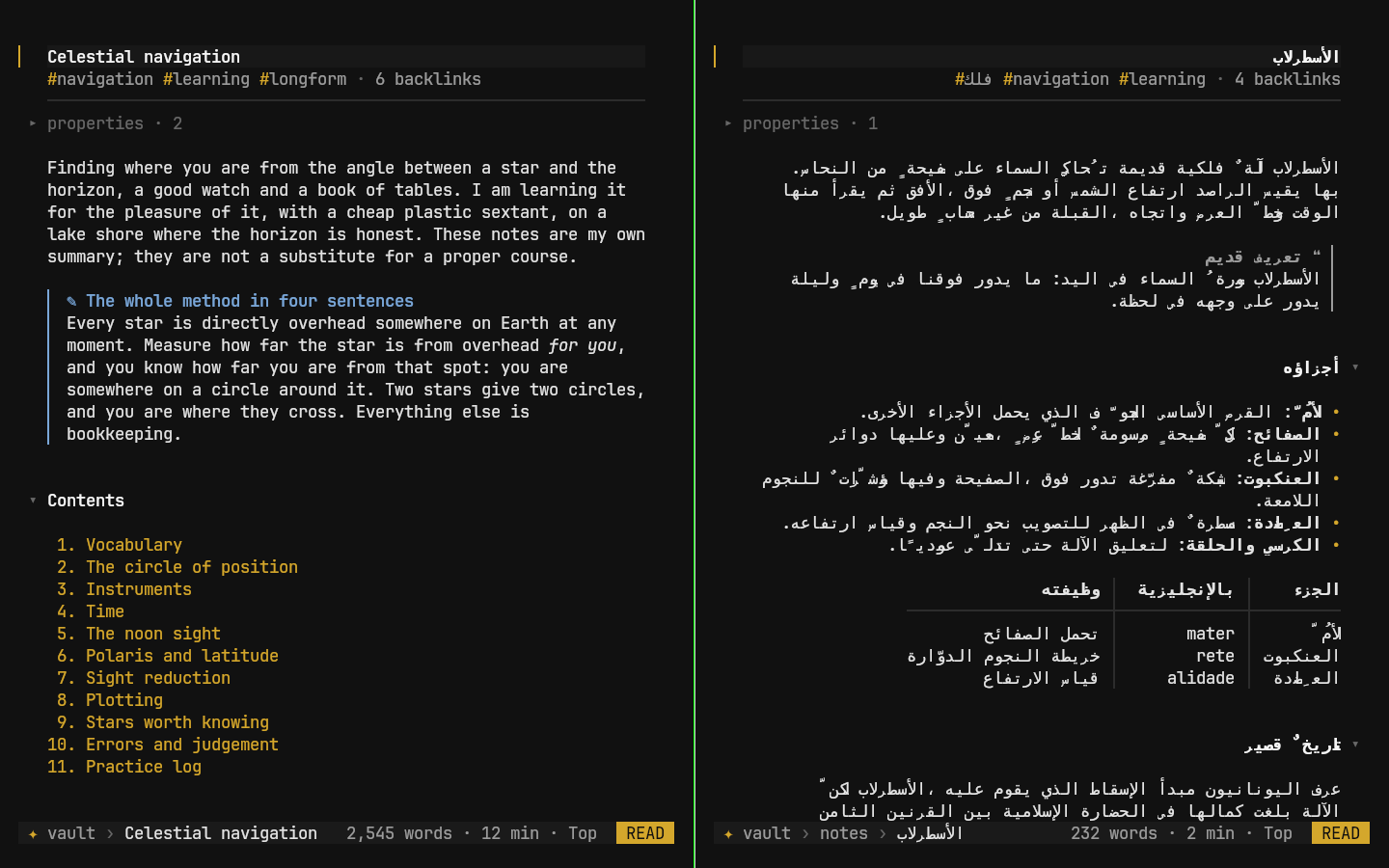
Two kitty windows running Astrolabe CLI on the same vault. Left: an English note, Celestial navigation, with gold tags, a callout and a numbered table of contents. Right: an Arabic note, الأسطرلاب, aligned right to left, with a quotation, a bulleted list and a table. A status bar at the bottom of each shows the vault, the note, the word count and READ.
Two kitty windows on the sample vault. The Arabic note is shaped and laid out right to left by Astrolabe CLI.
v0.2.1 on the sample vault. In a pipe the same verbs print plain path:line:text.

Capture and search from the shell

astrolabe add appends exactly one line to today's daily note and changes nothing else in the file; -t makes it a task. find, ls, tasks, backlinks and pick answer from the shell, with --json for scripts.

Run astrolabe -C ~/my-notes once and that folder is remembered; plain astrolabe then opens it from anywhere.
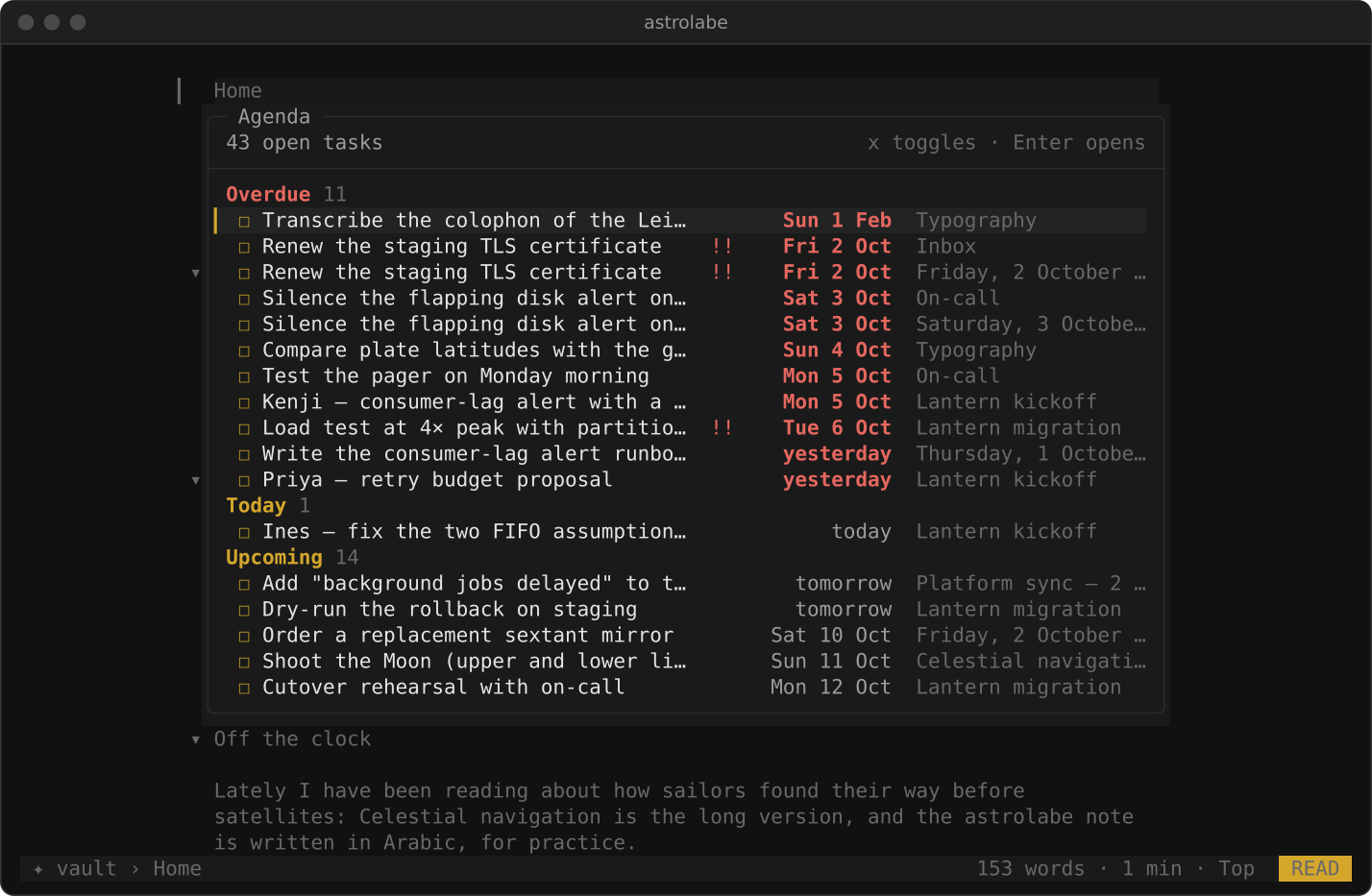
The agenda overlay in the reader: 43 open tasks grouped as Overdue in red, Today and Upcoming in gold, each with its due date and the note it lives in, and the hint: x toggles, Enter opens.

Read, edit, keep track

Move with j k, jump between headings with ]], fold with za, follow a link with Tab and Enter. Press i to edit the line under the cursor in the built-in editor, where Vim keys work; Esc twice saves and puts you back where you were.

Space t is the agenda of every open task in the vault, by due date. x ticks a task by rewriting one character in the file. Writes are atomic, and a file that changed on disk is never overwritten without asking.

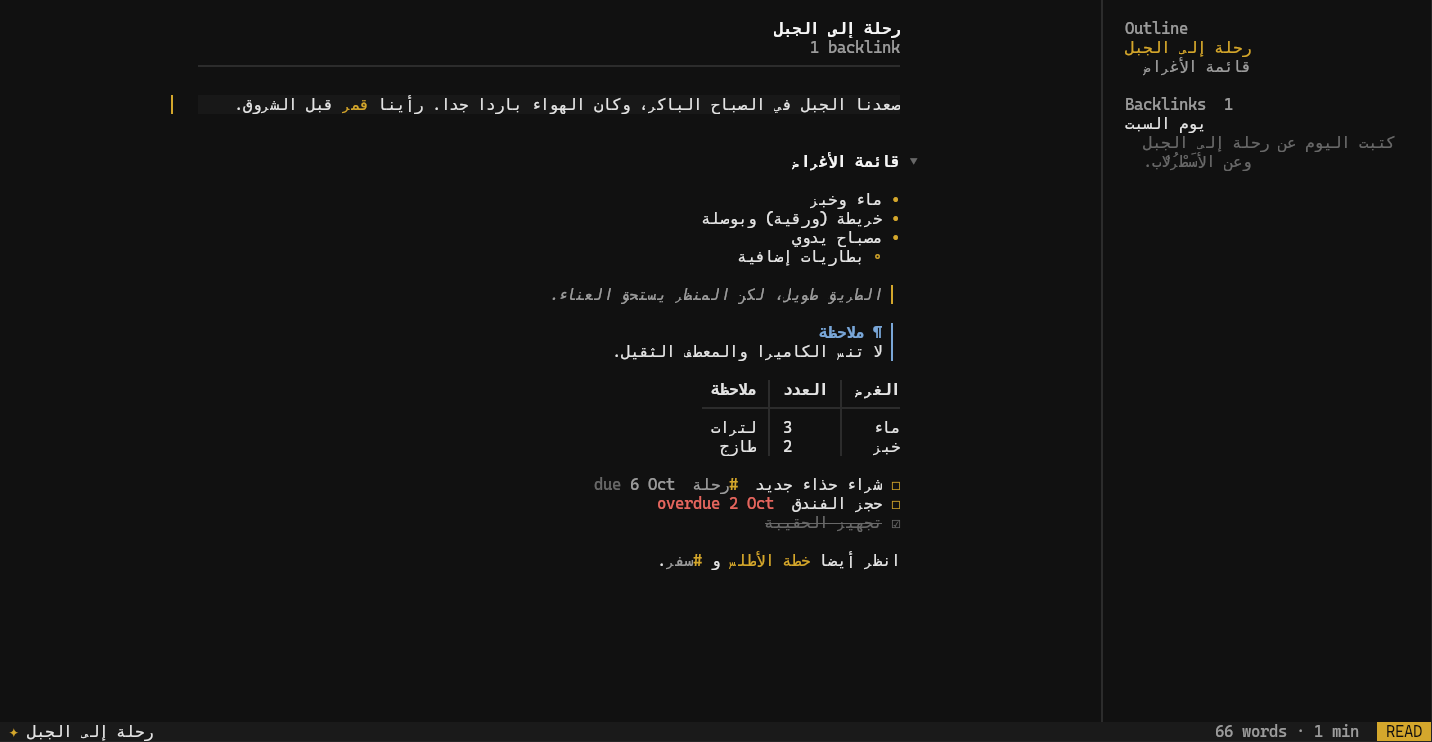
An Arabic note in kitty, رحلة إلى الجبل, aligned to the right: bullets, a quotation, a callout, a table and three tasks with due dates, and an outline and backlinks panel on the side.

Arabic, right to left, in any terminal

Astrolabe CLI joins Arabic letters and lays the text out right to left itself, with a separate mode for kitty. astrolabe doctor says which mode it chose and why.

Search folds Arabic: harakat and tatweel are ignored, and أ, إ and آ all match ا, so the plain spelling finds every form.

Install

On Linux or macOS, as yourself (no root):

curl -fsSL https://raw.githubusercontent.com/ZahakJ/astrolabe-cli/main/install.sh | sh

Installs one static binary into ~/.local/bin, verified against the release checksums, with the alias ast. Then:

astrolabe doctor
astrolabe -C ~/my-notes

Latest release v0.2.1,

Download from the releases page

MIT licence. Step by step: Install, then First run.