A RAW developer and compositor that runs entirely in your browser.

Develop on the GPU, then work in layers with the RAW still inside. The AI runs on your machine. Nothing is uploaded, and there is no account.

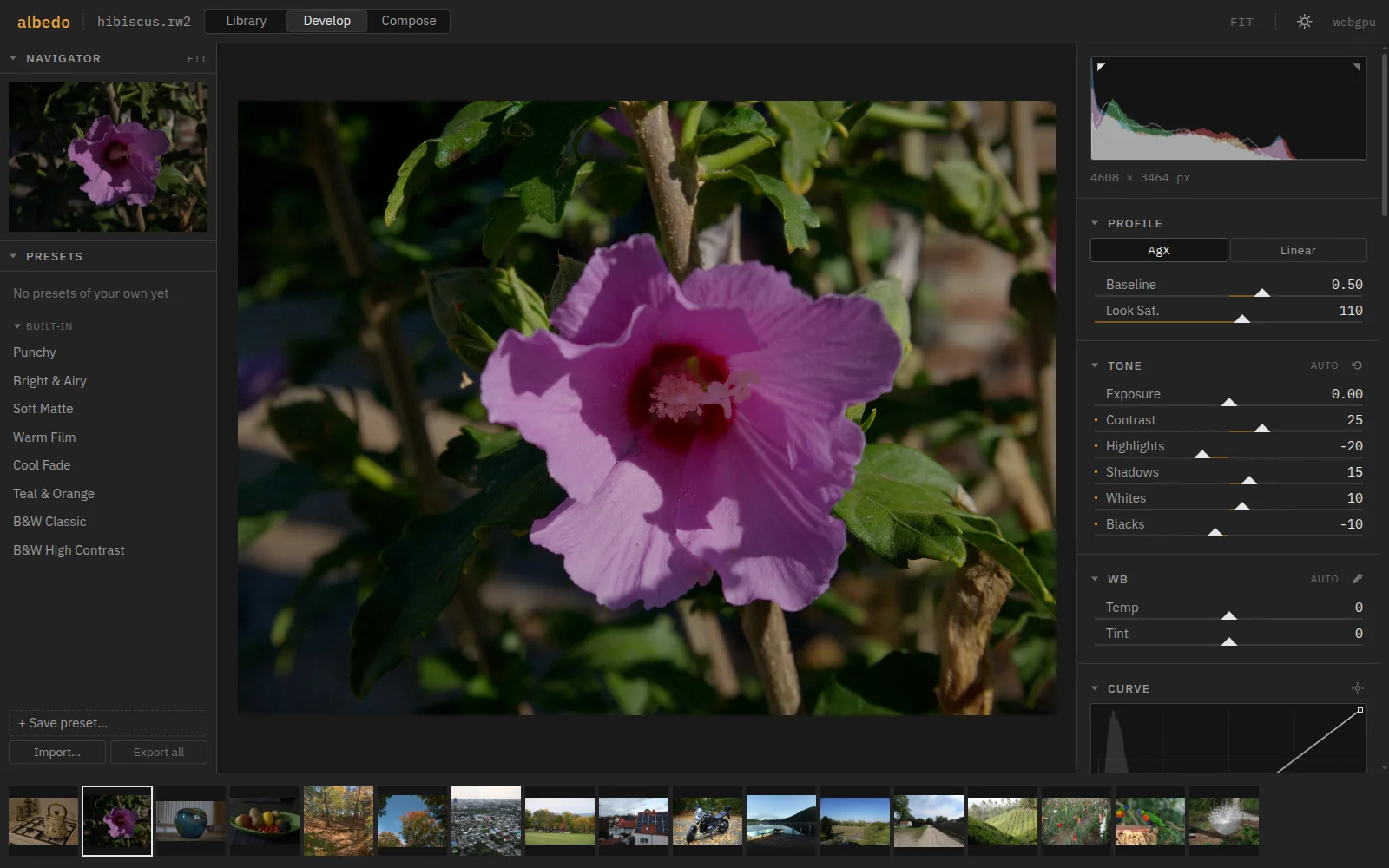
Develop: a hibiscus with the Punchy preset applied. Navigator and presets on the left, histogram, profile and Tone sliders on the right, the filmstrip below.

Tour

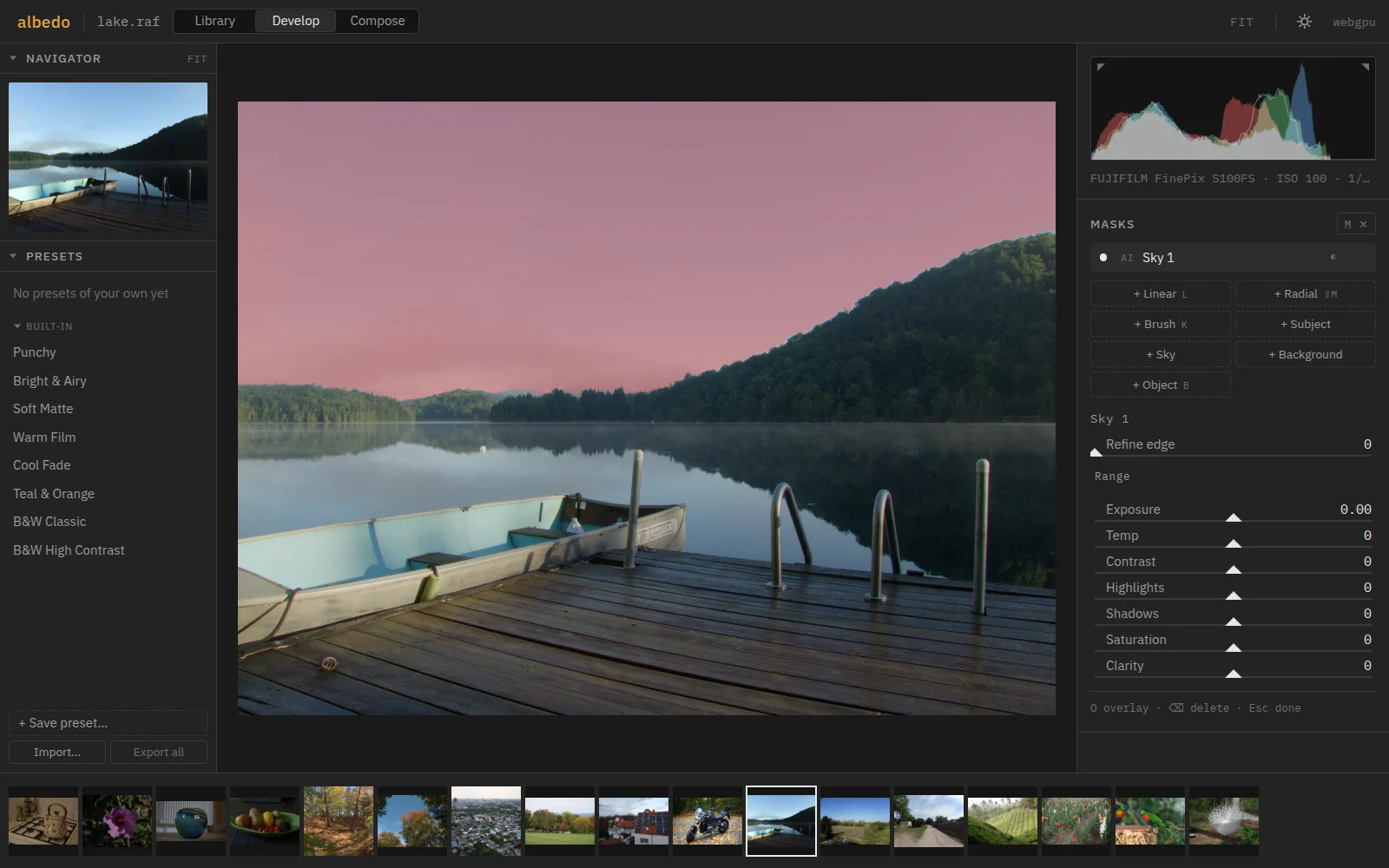
Develop with masks: a lake at dawn, the sky selected by the AI sky mask and shown as a red wash; the Masks panel on the right.

Develop

Every slider in the next frame

  • The whole edit runs on the GPU: 2.4 ms a frame on 24 MP, 2.3 ms on 45 MP with eight masks.
  • Masks for subject, sky, background or any object you click. The subject takes 93 ms.
  • Remove, heal and AI Denoise on the RAW data, 45 MP in 3.8 s.
  • RCD and X-Trans demosaicing, highlight rebuilding, lensfun corrections, AgX or DCP profiles.
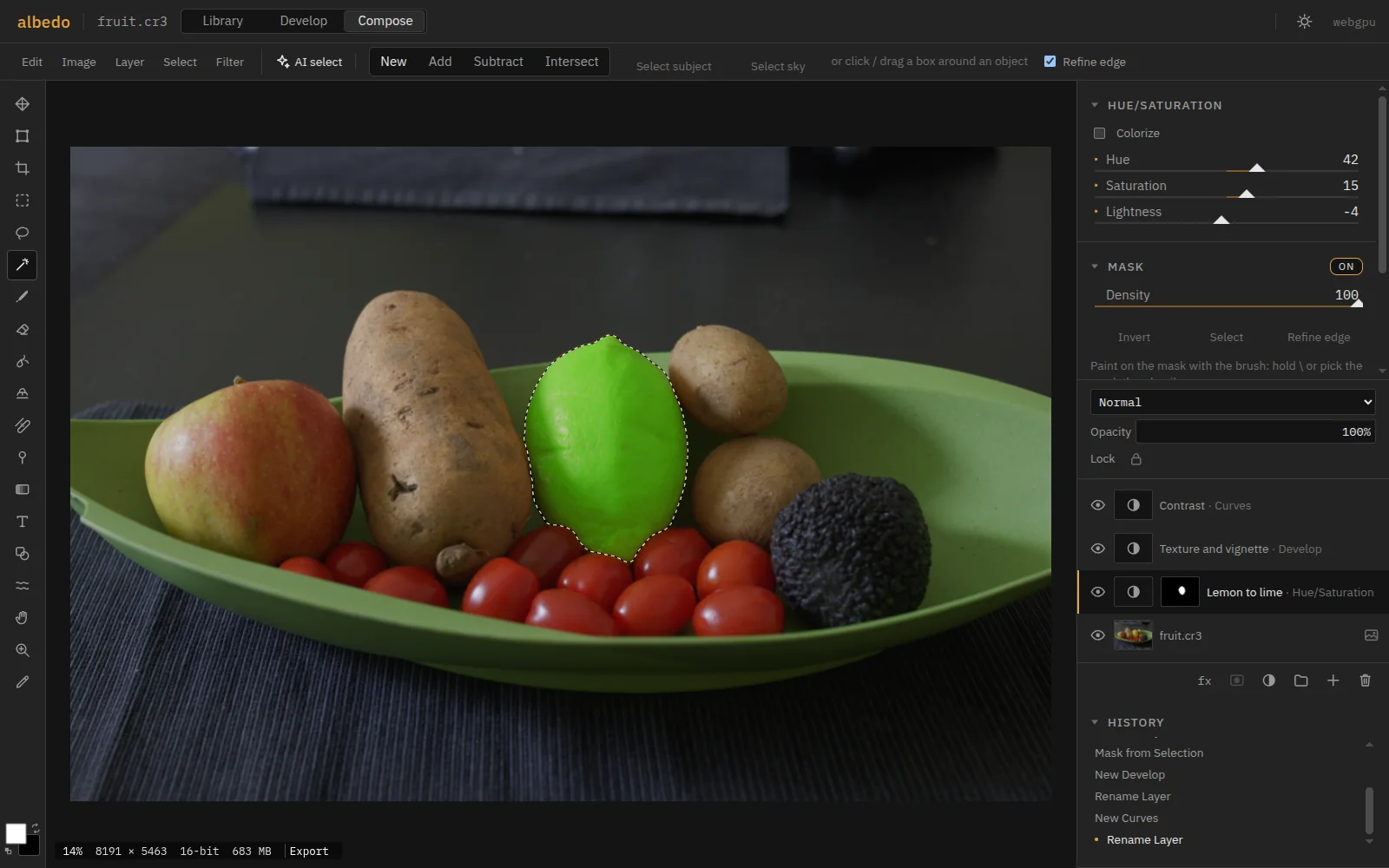
Compose: a bowl of fruit and vegetables. The lemon, selected with one click by AI object selection, is turned lime green by a masked Hue/Saturation layer; Develop and Curves adjustment layers sit above, the RAW below as a smart object.

Compose

Layers, with the RAW still inside

  • A photo arrives from Develop as a smart object: change its development at any time.
  • Develop and Photoshop-style adjustment layers, masks, Blend If, 27 blend modes, groups, styles, 8, 16 or 32 bits.
  • AI selection, refine edge, content-aware fill, heal, clone, liquify, warp, brushes with pen pressure.
  • A 50-layer, 24 MP document redraws in 6.7 ms.
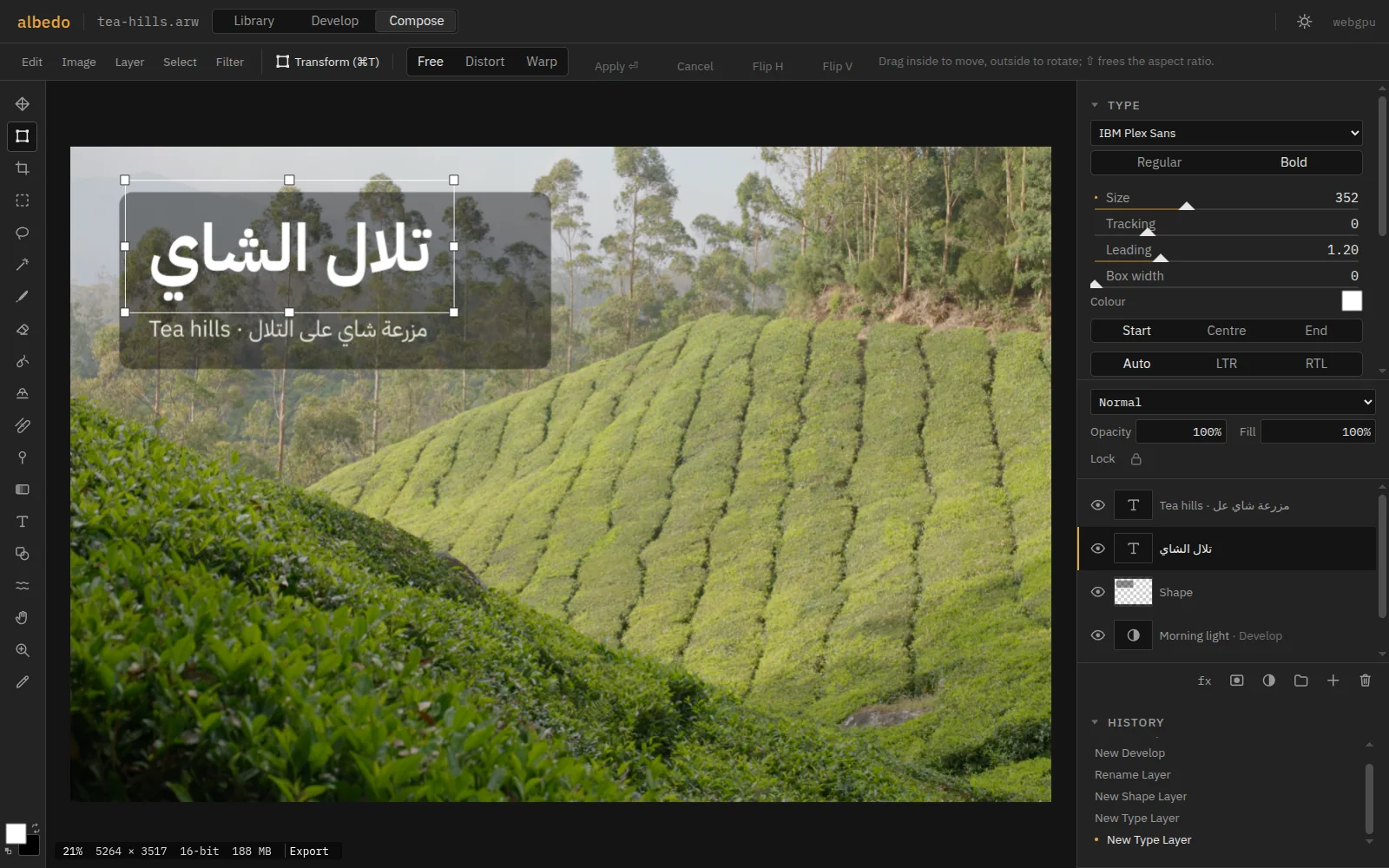
Compose: a tea plantation with an Arabic title, تلال الشاي, set in IBM Plex Sans Arabic over a rounded panel, and a subtitle mixing English and Arabic; the Type panel shows font, size, tracking, alignment and direction.

Type and files

Arabic sets right, files go anywhere

  • Type shaped by HarfBuzz: Arabic joins and mixed-direction lines with no setting to switch.
  • PSD in and out with layers, masks and modes. Layered TIFF in.
  • Lightroom XMP sidecars and presets, read and written. DNG and 16-bit TIFF out.
  • A Library to cull from the keyboard: 10,000 photos filter in 12–19 ms.

Measured

0.57 s
to export a 45 MP RAW as a full-resolution JPEG
2.3 ms
of GPU time per frame while dragging a slider on a 45 MP file, eight masks included
93 ms
to find the subject of a photo; 46 ms per click to select an object
6.7 ms
of GPU time per frame while painting into a 50‑layer, 24 MP document
1.0 GB
peak memory to open and export a 61 MP file

RTX 4070 SUPER, Chromium 151. Method and every number: BENCHMARKS.md. Needs WebGPU (Chrome or Edge 113+, Safari 26, Firefox 141+); Library and Develop also run on WebGL2.